CODE: A4008
In the Wolvox 9 licensing system, user permissions are defined on a module-based basis.
Therefore, the modules that users are authorized to use must be determined via the User Module Mapping screen.
Users will not be able to view unassigned modules or perform configuration operations related to those modules.
Module assignment is also required for the System Administrator (SYSDBA/sa).
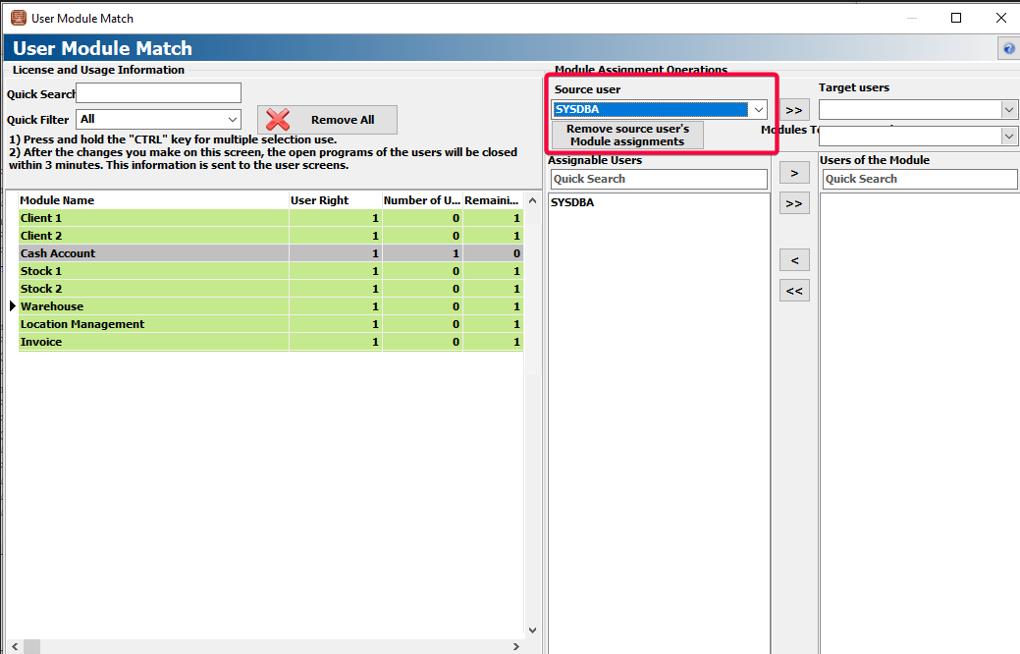
On the mapping screen, modules with no user assignment are displayed in green, modules assigned with valid usage rights are displayed in purple, modules with expired usage rights are displayed in gray, and modules not available for use are displayed in red.
You can follow the steps below to perform User Module Mapping operations:
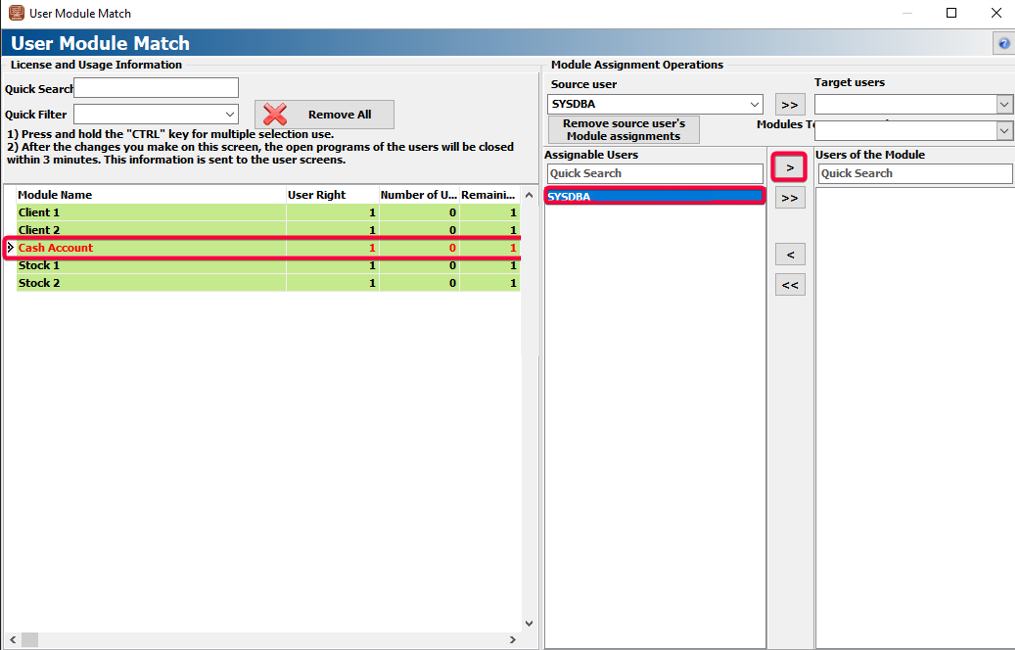
1. From the Module List section, select the module you want to assign.
2. From the Assignable Users List, select the active user you want to assign, then transfer the user to the Users Assigned to the Module section using the arrow buttons or by double-clicking.
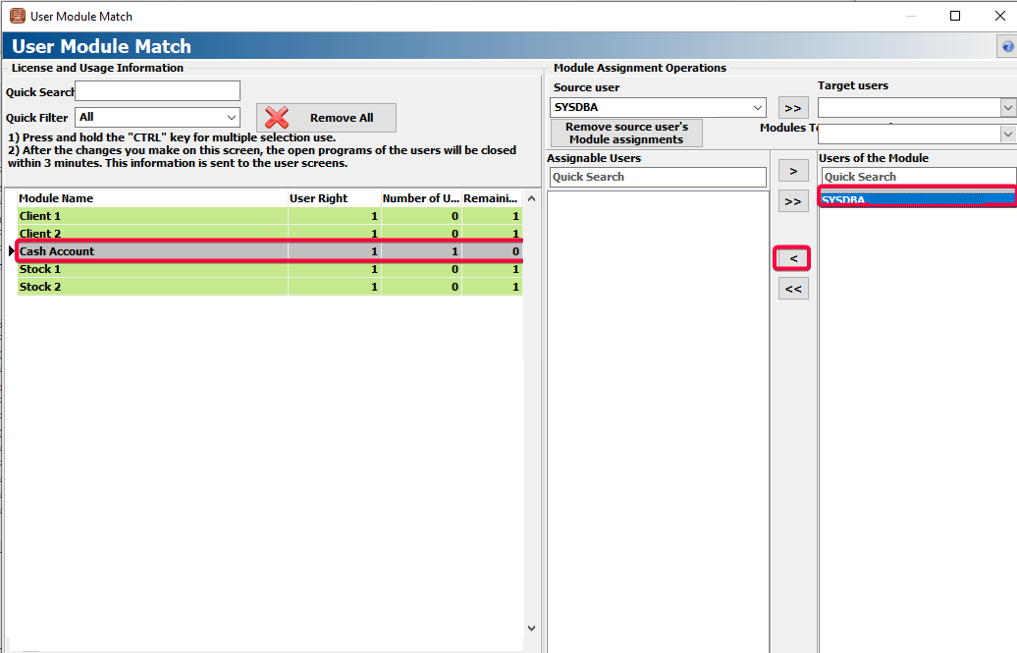
3. To remove a user assignment, select the relevant module, then choose the user from the Users Assigned to the Module section and remove the assignment using the arrow buttons or by double-clicking.
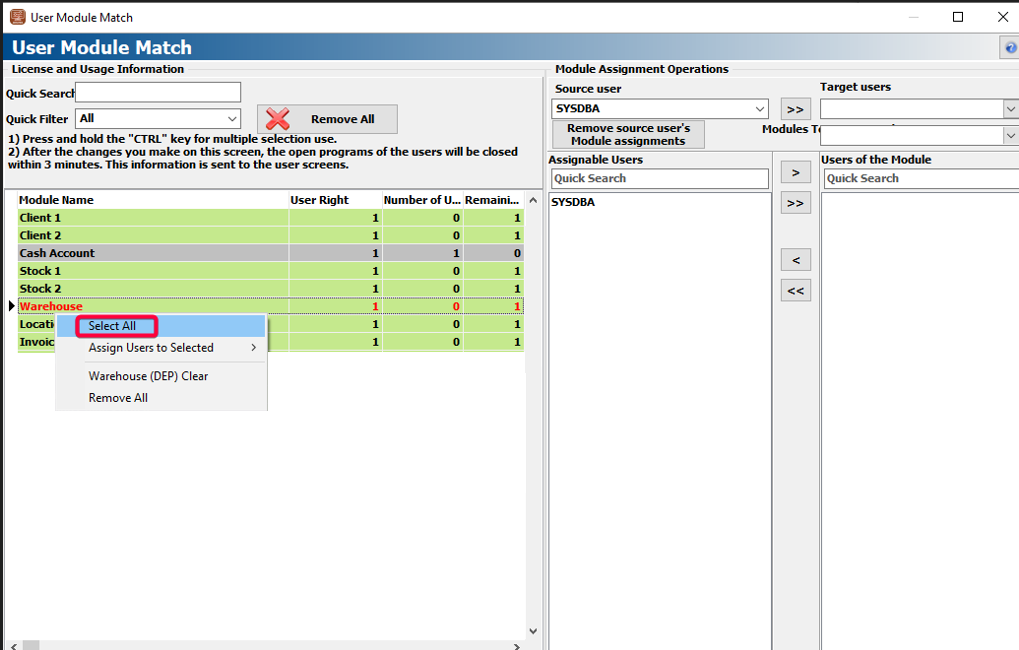
4. If you want to perform bulk assignment operations, you can right-click on the module list to apply bulk selection and assignment. Additionally, you can select multiple users from the Assignable Users List to assign more than one user to a module.
5. If you want to copy a user’s module permissions to another user, select the Source User and Target User in the Module Assignment Operations section, choose the modules to be copied from the Modules to Be Assigned area, and click the “>>” button.
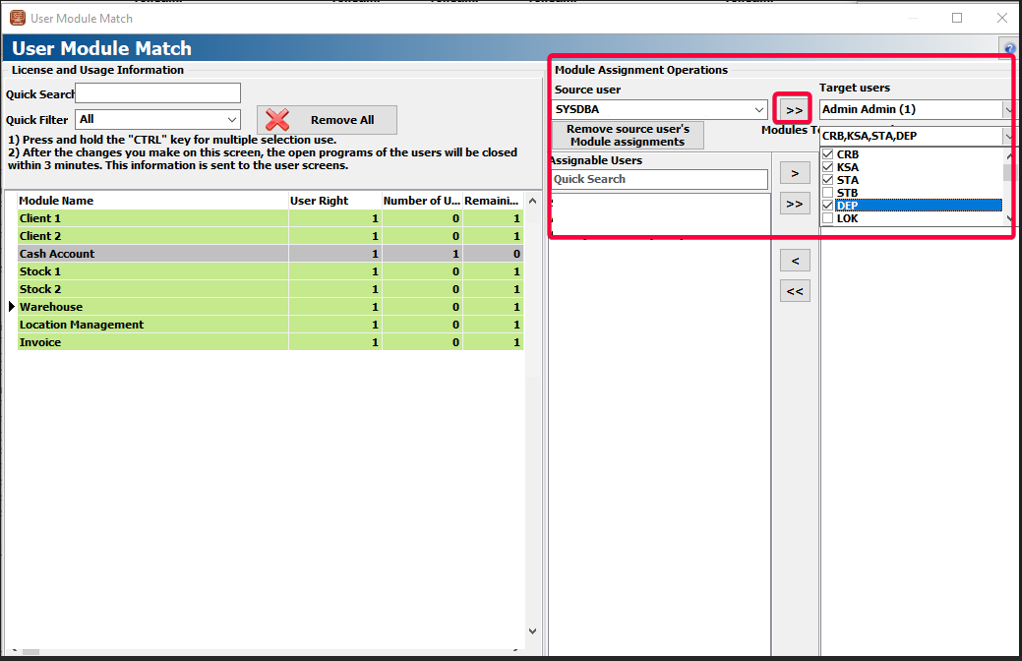
6. If you want to remove all module permissions of a user, select the source user in the Module Assignment Operations section and click the “Remove Source User’s Module Assignments” button.
7. Once the module assignment process is completed, users will be able to log in to the program and perform operations according to the modules assigned to them.
NOTE: When transferring the entire list, the system will check the available usage rights, and if the user count is sufficient, the assignment will be completed.

