CODE: A2833
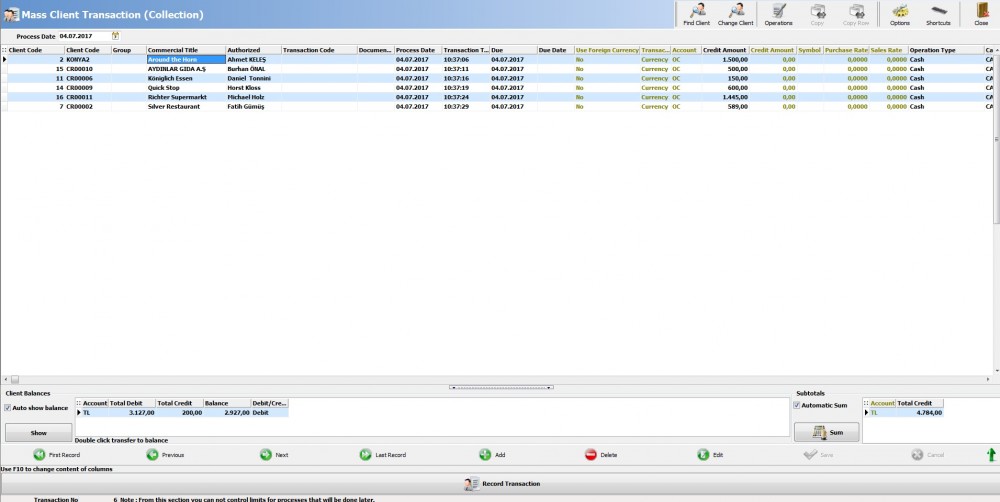
A field that you can use to quickly enter a transaction for one or more of your Clients.
|
Find Client |
You can add your clients with this button. |
|
Change Client |
You can use it to change a client you have added incorrectly. |
|
Operations: Excel |
You can transfer your transactions from Excel document. |
|
Operations: Open Client Card |
Selected Client's card can be opened with this button. |
|
Operations: Client Transaction Report |
Selected Client's transaction report can be opened with this button. |
|
Operations: Delete Transactions Without Amount Entry |
You can delete all transactions without amount entry. |
|
Copy |
You can copy selected column to all records. |
|
Copy Row |
You can copy from the previous record. |
|
Options |
Client can be searched manually; with this option you can type client code and press enter to add client. Use information which is entered to description as formula and transfer to debit amount; with this option you can define formula in description field and transfer to debit amount. |
|
Show |
It shows selected client balance. |
|
Sum |
It sums total transaction amount. |
|
Record Transaction |
It processes all transactions. |

